School Branding Blog
How to Make Your School Brand Dominate Local Google Search Results
- Author
- Mash Bonigala · Creative Director
- Published
- April 27, 2026
When a parent searches “elementary schools near me” or types your school name into Google, they see a results page. That page is a battleground, and most schools are losing it without realizing it.
The winning school has a Google Business Profile with a professional logo, a 4.5-star rating with recent reviews, a clean preview snippet from a modern website, and photos showing engaged students on a vibrant campus. The parent clicks.
The losing school has no Business Profile, a 3.2-star rating with unanswered negative reviews, a meta description that reads “Welcome to Our School - Home Page,” and no photos. The parent scrolls past.
Both schools may offer identical academic programs. Both may have dedicated teachers. Both may serve the same community. But the search results page has already determined which one the parent will explore further and which one ceases to exist in their consideration set.
This is the first of the 7 silent trust moments where your brand wins or loses enrollment. And it is the moment most schools invest in the least.
Related: school branding strategy | school marketing design | visual identity design
What Parents Actually See When They Search
The Three Zones of a School Search Result
When a parent searches for schools, Google displays results in three distinct zones. Each zone is a brand impression.
Zone 1: The Map Pack (Google Business Profile) The top of local search results shows a map with 3 school listings. Each listing displays: the school name, star rating, number of reviews, address, a thumbnail photo, and a brief description. This is the highest-visibility real estate in local search and most schools have not claimed it.
Zone 2: Organic Website Results Below the map, Google displays traditional search results linking to school websites. Each result shows: the page title, URL, and a 150-character meta description. This is where your website optimization either earns a click or loses it.
Zone 3: Related Searches and Knowledge Panel The sidebar (on desktop) or further down (on mobile) shows a Knowledge Panel with school details, photos, reviews, and links. Related searches suggest alternatives. If your brand does not appear here, competitors fill the space.
What a Strong Brand Looks Like in Search
A school with a strong search presence controls all three zones:
- A claimed, optimized Google Business Profile with professional photography, a current logo, and a 4.0+ rating
- An organic listing with a compelling title, a clear meta description that communicates the school’s brand positioning, and a professional URL structure
- A Knowledge Panel with consistent information, recent photos, and active review management
When a parent sees this level of presence, the implicit message is: this school has its act together. That is the same message delivered by professional campus signage and a cohesive visual identity. The medium is different, but the trust signal is identical.
The Google Business Profile: Your Most Underused Brand Asset
Why It Matters More Than Your Website
For local searches (“schools near me,” “charter schools in [city],” “best elementary schools [zip code]”), the Google Business Profile appears before your website in the results. Many parents never scroll past it. They evaluate the profile and either click through to the website or move on.
A complete, optimized profile is the single highest-leverage digital brand investment a school can make. It costs nothing and influences more first impressions than any other digital asset.
The 10-Point Profile Optimization
1. Claim and verify your listing. If your school has not claimed its Google Business Profile, someone else’s information (or Google’s automated guess) is representing you. Claim it at business.google.com.
2. Upload your current logo. The profile thumbnail shows your logo. If it displays a blurry, outdated, or missing logo, you fail the first impression before the parent reads a word. Use the current version from your brand guidelines.
3. Set the correct primary category. Choose “School” or a more specific category (Elementary School, Middle School, High School, Charter School, Private School). This determines which searches your profile appears in.
4. Write a compelling description. You have 750 characters. Do not waste them on “Welcome to our school.” Use your brand messaging framework to communicate what makes you different. Include specific programs, achievements, and your enrollment CTA.
5. Upload 20+ professional photos. Profiles with more photos tend to receive more clicks than sparse ones. Upload professional photography across categories: exterior, interior, classrooms, athletics, events, and community moments. Update quarterly with fresh images.
6. Add your enrollment link. Google allows you to add an appointment/booking link. Point it to your enrollment page or tour scheduling form. This creates a direct path from search to action.
7. Post Google Updates weekly. Google Business Profiles have a “Posts” feature that lets you share updates, events, and announcements. Schools that post weekly tend to receive more profile views than schools that do not post. Share the same content you share on social media.
8. List all services and programs. Google allows you to list services. Add your key programs: STEM, arts, athletics, dual language, gifted, special education. Each service listing is a keyword that helps your profile appear in relevant searches.
9. Keep hours and contact information current. Outdated information (wrong phone number, old address, incorrect hours) destroys trust instantly. Audit this quarterly.
10. Enable messaging. Google allows parents to message your school directly from the profile. Enable it and assign someone to respond within 2 hours during business days.
Reviews: The Social Proof That Drives Enrollment
The Numbers
- Most parents weigh online reviews heavily, often treating them much like personal recommendations when researching schools
- Schools with higher star ratings tend to earn more profile clicks than lower-rated ones
- The most recent 5 reviews matter more than the overall average. A school with 4.2 stars and 3 recent negative reviews looks worse than a school with 4.0 stars and 5 recent positive reviews.
The Review Strategy
Ask systematically, not sporadically. Build review requests into your communication calendar. The best times to ask: after a successful open house, at the end of a strong academic quarter, after a school event that generated positive energy, and during re-enrollment season when families are affirming their choice.
Make it easy. Create a direct link to your Google review page and include it in email signatures, newsletters, and follow-up communications. The fewer clicks between the ask and the review, the higher the response rate.
Respond to every review. Every single one. Positive reviews get a thank-you that reinforces brand values. Negative reviews get a professional, empathetic response that demonstrates leadership accountability. Prospective parents read the responses more carefully than the reviews themselves.
Never fake reviews. Google detects and penalizes fake reviews. More importantly, fabricated reviews undermine the authentic trust that real reviews build. The goal is to make it easy for genuinely satisfied families to share their experience, not to manufacture sentiment.
Handling Negative Reviews
Negative reviews are inevitable. How you respond determines whether they hurt or help your brand.
The response framework:
- Acknowledge the concern specifically (not generically)
- Apologize for the experience without being defensive
- Offer to continue the conversation offline (“Please contact our office at…”)
- Thank them for the feedback
A thoughtful response to a negative review often impresses prospective parents more than a five-star review. It demonstrates that leadership listens, cares, and acts. That is exactly the trust signal that wins parent confidence.
Website SEO: Making Your Brand Findable
Branded Search
When a parent searches your school name directly, your website should appear as the first organic result with a compelling preview. This sounds obvious, but many school websites lose branded searches to directory sites, news articles, or competitor ads.
Fix branded search:
- Ensure your homepage title tag includes your full school name and a value proposition
- Write a meta description that communicates your brand positioning, not a generic welcome message
- Add structured data (Schema.org markup) for your school type, address, and contact information
- Build internal links from your blog and service pages to strengthen your homepage authority
Non-Branded Search
Non-branded searches are how families discover schools they do not already know about. These are the searches that grow your enrollment funnel: “best charter schools in [city],” “STEM elementary schools near me,” “private schools with financial aid [county].”
Win non-branded search:
- Create content pages targeting the searches families actually make (program pages, location pages, comparison pages)
- Publish blog content that answers the questions parents ask during the research phase
- Build local authority through community partnerships, local directory listings, and consistent NAP (Name, Address, Phone) citations across the web
- Ensure your website loads fast, works on mobile, and passes Core Web Vitals
The Content Connection
Every blog post your school publishes is a potential search entry point. When a parent searches “how to choose an elementary school” and your school’s blog has a relevant, helpful post, they discover your institution through educational content rather than advertising.
This is the long-term value of a consistent content and social media strategy. Each piece of content expands your search footprint and creates new pathways for families to find you.
Visual Brand Consistency in Search
Your brand must look the same in search results as it looks on your campus and your social media. That means:
- The same logo appears in your Google Business Profile, your website favicon, and your social media profiles
- The same colors appear in your website design, your profile photos, and your content graphics
- The same photography style appears across all digital touchpoints
- The same brand voice appears in your meta descriptions, Google posts, review responses, and website copy
Schools with unified identities that extend to their digital presence see measurably higher search engagement. The consistency creates recognition, and recognition builds the trust that drives clicks.
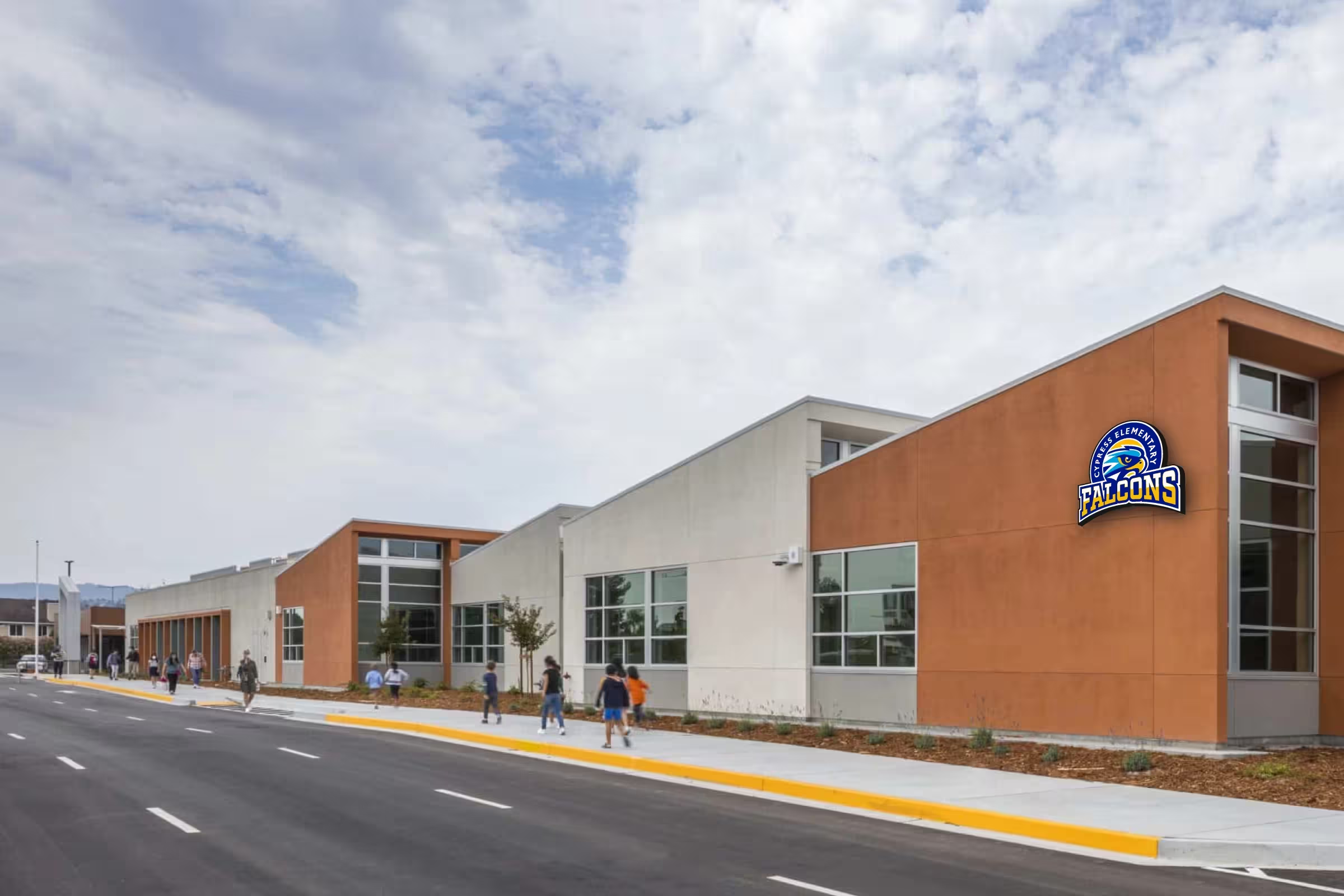
See how Cypress Elementary built a Falcons brand identity that translates from campus facade signage to digital applications, ensuring the same professional impression whether a family encounters the school in person or online.
The Local Search Action Plan
Week 1: Audit and Claim
- Search your school name on Google and screenshot everything you see
- Claim your Google Business Profile if not already claimed
- Audit your current rating, review count, photos, and description
- Check your website’s meta titles and descriptions for the top 5 pages
Week 2-3: Optimize the Profile
- Upload your current logo and 20+ professional photos
- Write a compelling 750-character description using your brand messaging
- Add all programs and services
- Set up weekly Google Posts
- Add your enrollment/tour link
- Enable messaging
Week 4: Launch the Review Program
- Create a direct review link
- Send the first review request to 50 current families via email
- Add the review link to your email signature, newsletter footer, and post-event follow-ups
- Commit to responding to every new review within 48 hours
Month 2-3: Strengthen Website SEO
- Update homepage title and meta description
- Add structured data markup
- Create or optimize program-specific landing pages
- Begin publishing monthly blog content targeting parent search queries
- Audit and fix mobile responsiveness issues
Ongoing: Maintain and Grow
- Post to Google Business Profile weekly
- Update photos quarterly with fresh photography
- Request reviews after every positive touchpoint
- Publish 2-4 blog posts per month during enrollment season
- Monitor search performance monthly and adjust
The ROI of Search Visibility
For school leaders building a board presentation or justifying digital brand investment:
Google Business Profile optimization costs $0 in platform fees. The only investment is staff time and professional photography.
Review management costs $0 in platform fees. The investment is the discipline to ask systematically and respond consistently.
Website SEO requires modest investment in content creation and technical optimization, typically $2,000-$8,000 annually for most schools.
The return: schools that move from a weak to a strong search presence often see meaningful enrollment inquiry increases from digital channels over the following months. For a school with $10,000 per-pupil funding, converting just 5 additional families from improved search presence generates $50,000 in annual revenue against a near-zero cost base.
This is among the highest-ROI investments in the school branding cost equation. It does not replace a comprehensive visual identity or brand strategy, but it ensures that the investment in those assets is visible to the families who are searching for you right now.
Every family who enrolls at your school started with a search. The question is whether they found you or your competitor first.
Next Steps
- Google your school right now and evaluate what parents see
- Audit all 7 trust moments with our guide to where brands win or lose parent trust
- See our portfolio of 250+ school branding projects
- Learn about services: school branding strategy | school marketing design | visual identity design
Related Resources: School Website Optimization | Digital-First School Branding Strategy | School Social Media Strategy | School Photography Strategy | How School Branding Influences Parent Choice | The Enrollment Calendar
We Build and Manufacture Mascot Costumes
A professionally built mascot costume creates unforgettable moments at games, rallies, and community events.

See Full Details →
Design to Delivery
We manage everything
6-12 Week Delivery
In time for your season
Safety First
Ventilation & visibility
Custom Projects
Professional quality
School Marketing Design | Enrollment Campaigns & Materials
Turn your brand into enrollment campaigns
Transform your school's marketing with compelling campaigns, enrollment materials, and digital strategies that drive student recruitment and community engagement.
Get Marketing Help →Related
School Marketing Design | Enrollment Campaigns & Materials
Transform your school's marketing with compelling campaigns, enrollment materials, and digital strategies that drive student recruitment and community engagement.
View detailsRelated
Charter Application Branding - Professional Identity for Authorizer Approval
Professional charter application branding that demonstrates operational readiness to authorizers. Complete brand identity, website, and application materials. Charter-specific packages for charter schools.
View details